Keystone Chat — Brand Guidelines
Status: Living document · v1 (2026-06-20) Scope: Keystone Chat and every surface that carries the Keystone OS name (chat, Help/Knowledge Center, Trader, Create, Explore). Source of truth for tokens: apps/lantern-garage/public/css/site.css. This doc documents those values — if the two ever disagree, site.css wins and this doc should be updated to match.
One rule above all the rest: Keystone is local-first, model-agnostic, and honest. The brand should always feel like a calm tool you own — never a hype product, never tied to one AI vendor, never jargon for its own sake.
1. Brand essence
| Name | Keystone OS (product) · Keystone Chat (the primary chat surface) |
| Edition | "Orion Edition" (current release line) |
| Motto | Observe. Remember. Reason. Act. Verify. Converge. |
| One-liner | A local-first reasoning system that remembers you, runs on your machine, and improves from evidence — never locked to a single model. |
| Mark | The mandala / Σ₀ glyph (/mandala.svg, /sigma0-mandala.svg) |
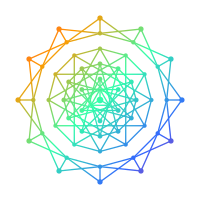

Naming rules
- Use "Keystone OS" for the product and "Keystone Chat" for the chat. ✦ is the chat's wordmark prefix (
✦ Keystone Chat). - "Lantern OS" is retired — do not use it in user-facing copy. Keep
lantern-*code paths, file names, and thelantern-themestorage key as-is (renaming them is out of scope and risky); the retirement is about what the user reads, not internal identifiers. - Never invent sub-brands. New surfaces are "Keystone <Noun>" (Keystone Chat, Keystone Trader), not standalone names.
2. Logo & mandala
- Primary mark:
/mandala.svg— used at 18px in the nav (.nav-brand img), 24px on the home hero. - Hero motif:
/sigma0-mandala.svgrendered large, low-opacity (~0.18), slowly rotating (60s) as a background layer. Use it as ambient texture, never as a focal CTA. - Spin states (
.mandala-icon):spin-slow(idle/healthy),spin-normal,spin-fast,wobble. Color follows status:.healthy= green,.warning= gold,.critical= accent. - Clear space & don'ts: keep the mark legible; don't recolor it off-palette, don't stretch it, don't pair it with a second logo lockup. Respect
prefers-reduced-motion— all spin animations must collapse to static (already handled insite.css).
3. Color system
Keystone ships light and dark themes via data-theme on <html>. Always consume the CSS custom properties — never hardcode hex in a component. Theme is bootstrapped before first paint and toggled with toggleTheme() (persisted to localStorage['lantern-theme']).
Core tokens
| Token | Light | Dark | Use |
|---|---|---|---|
--bg |
#ffffff |
#0a0e17 |
Page background |
--surface |
#f8f9fa |
#111827 |
Cards, nav, footer |
--surface2 |
#f1f3f5 |
#1a2332 |
Hover / nested surfaces |
--border |
#e5e7eb |
#1f2937 |
Hairlines, card borders |
--text |
#111827 |
#f3f4f6 |
Primary text |
--muted |
#6b7280 |
#9ca3af |
Secondary text, captions |
--accent |
#0ea5e9 |
#06b6d4 |
Brand cyan — primary actions, links, active nav |
--accent-hover |
#06b6d4 |
#0891b2 |
Hover state of accent |
--accent-dim |
#cffafe |
#164e63 |
Tinted accent fills, queued pills |
--green |
#10b981 |
#34d399 |
Success, "live", online |
--gold |
#f59e0b |
#fbbf24 |
Warning, "active" |
--danger |
#ef4444 |
#ef4444 |
Errors, destructive actions |
Accent identity colors (per-surface)
The home tiles and Help cards carry a secondary accent so surfaces are recognizable at a glance. Keep these consistent across the app:
| Surface | Color | Hex |
|---|---|---|
| Chat | Cyan (brand) | #06b6d4 |
| Trader / Markets | Emerald | #10b981 |
| Create / Studio | Violet | #a78bfa |
| Explore / Convergence | Cyan | #06b6d4 |
| Games / playful | Rose | #fb7185 |
| Reference / docs | Gold | #f59e0b |
Supporter teal #14b8a6 is reserved for Patreon/role status (the .patreon-pill supporter state) — don't reuse it as a generic accent. The Patreon support link uses warm red #ff6b6b.
Color don'ts
- ❌ Don't introduce a new brand hue. Cyan is the brand; the identity colors above are the only sanctioned secondaries.
- ❌ Don't use raw black/white for text or surfaces — use the tokens (they're tuned for contrast in both themes).
- ✅ Every foreground/background pair must clear WCAG 2.1 AA (the tokens are chosen to; verify if you deviate).
4. Typography
- Family:
"Segoe UI", system-ui, -apple-system, sans-serif(system stack — no web-font download, stays fast and local). - Base: 16px, line-height 1.6.
- Hero H1:
clamp(1.9rem, 5vw, 2.8rem), weight 800, letter-spacing-0.03em. - Section H2: ~1.1–1.2rem, weight 700.
- Eyebrow label:
0.72rem, weight 700,text-transform: uppercase,letter-spacing: 0.1em, color--accent. Use it above section titles to set rhythm. - Body: 0.8–0.9rem in cards,
--mutedfor secondary lines. - Numbers: use
font-variant-numeric: tabular-numsfor any live/aligned figures (prices, counts, progress).
Keep weights to 400 /// 800. Don't add italics or decorative faces.
5. Core UI components
These are the shared building blocks. Reuse them — don't reinvent per page.
Navigation (.site-nav)
Sticky, 52px, --surface background, bottom hairline. Left: .nav-brand (mandala + "Keystone OS"). Middle: .nav-links (Chat · Trader · Create · Explore · Help, plus a Patreon support link). Right: .nav-actions (profile/logout/theme .nav-btns). The active page link gets .active (accent, weight 600). On narrow screens the link row scrolls horizontally — there is no hamburger.
Every page must include
/js/auth-gate.js. It wires the profile/logout/sign-in buttons, injects the Admin link for admins, and applies admin nav-visibility flags. Public pages (/, chat, explore, knowledge center) never force a login.
Buttons
- Primary:
.btn-primary— accent fill, white text, 10px radius, subtle lift on hover. One primary action per view. - Ghost / icon:
.btn-ghost,.nav-btn— bordered, surface background, accent on hover.
Cards / panels (.panel, .link-card)
- Surface background, 1px border,
var(--radius)= 14px, soft shadow. - Icon chip: the icon sits in a 44px tinted rounded square (
color-mix(--tile 14%)fill, 30% border). - Eyebrow label (accent) above the title where it adds scannability.
- Hover: border → tile color, lift
translateY(-2px), stronger shadow. Keep it subtle.
Help bubbles / glosses (.gloss)
A small ? next to any jargon term that reveals a one-sentence, plain-English definition on hover, keyboard focus, or tap. This is the brand's answer to jargon — see Voice below. If a term needs a gloss, it needs a gloss; don't ship unexplained jargon to a normie surface.
Pills (.pill)
Status chips: .live (green), .active (gold), .queued (accent-dim), .ready/.completed (green). Lowercase, compact, 0.72rem.
Footer (.site-footer)
Centered brand + nav links + GitHub, --surface background, muted text. Consistent across every page.
6. Voice & tone — Keystone Chat
The chat is where most people meet Keystone, so its voice is the brand. The governing principle (from docs/KEYSTONE-UX-NORMIE-PLAN.md): a non-technical person must understand every word.
Principles
- Plain English, no jargon. In user-facing copy, hide the internals. The words Σ₀, Convergence, CSF, Ouro, tesseract, LoopLM do not belong on a normie surface. When a technical term is unavoidable, attach a
.glosswith a one-line definition. (Deep docs live behind an explicit "Under the hood" disclosure — opt-in, never first.) - Talk like a helpful person, not a manual. "Just type like you're texting a friend." Short sentences. Second person. No corporate hedging.
- One sentence of help. Tooltips, empty states, and hints are a single clear sentence — never a paragraph.
- Honest by default (External Reality Rule). Don't overclaim. If something is a baseline, a prototype, or a hypothesis, say so. Surface evidence, not vibes. Numbers get a source.
- Calm, not hype. No exclamation-mark marketing, no "revolutionary AI." Keystone is a dependable tool the user owns.
- Encouraging on errors. Failures are framed with a next step ("Search is unavailable right now — try asking Keystone Chat directly"), never a dead end or a stack trace.
Naming inside the chat
- The default assistant persona is Keystone. Other personas (Blinkbug, Waterfall, Xenon, Founder, Trader, Claude Code, Keystone Σ₀) are selectable characters — present them as friendly "personas/characters," not "agents" or "models," on normie surfaces.
- Call the AI options Auto / Fast / Smart, not raw provider names, for non-technical users (providers stay available under advanced settings).
- Features get plain names: Remember important things (not "CSF memory"), Quick actions (not "skills"), Tools (not "connectors").
Copy examples
| ✅ Do | ❌ Don't |
|---|---|
| "Talk to Keystone — ask anything, no account needed." | "Invoke the Convergence Core via the Σ₀-grounded dispatch." |
| "Get smarter replies — add your own API key (optional)." | "Configure ANTHROPIC_API_KEY to enable premium inference." |
| "No exact match in the guides — just ask in chat." | "Grounding corpus returned null; falling back to full LLM." |
| "Something's not working? Check Quick Start or report it on GitHub." | "Error 500. Contact the administrator." |
7. Accessibility (non-negotiable)
- Contrast: AA minimum for all text; tokens are tuned for both themes.
- Motion: honor
prefers-reduced-motion(mandala spin, hover transitions collapse to instant). - Keyboard: everything reachable by tab; glosses open on focus, not hover-only; provide a skip-to-content link (
.skip-link). - Labels, not emoji-only: emoji are decorative; always pair with text or
aria-label. Mark purely decorative imageryaria-hidden="true". - Theme: never force a theme; respect the user's saved/system preference.
8. Quick checklist for any new surface
- Loads
/css/site.css; uses only its tokens (no hardcoded colors). - Includes the standard
.site-nav(active link set) and.site-footer. - Includes
/js/auth-gate.jsand/js/theme-toggle.js; theme bootstrap in<head>to avoid flash. - Reuses
.panel/.link-card,.btn-primary,.pill, eyebrow labels. - Copy is plain English; any jargon has a
.gloss; deep/internal material is behind an opt-in disclosure. - Responsive (single column on mobile) and
prefers-reduced-motionsafe. - Claims are honest and, where they're metrics, sourced.
Cross-references: README · KEYSTONE-UX-NORMIE-PLAN · SECURITY · brand tokens in site.css.